

Supported Platforms and Compatibility for Micro Business IT
Practical Infrastructure That Works With What You Already Use
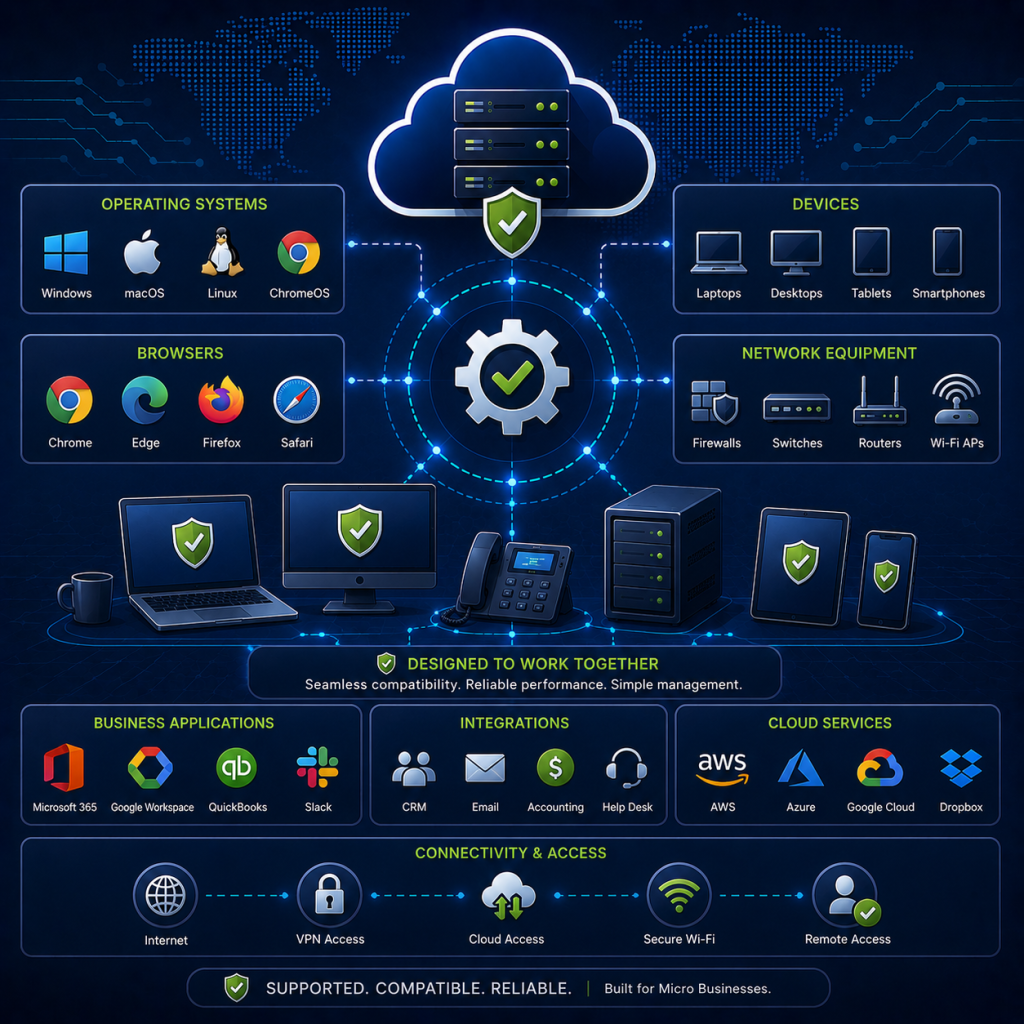
FOSSnix IT builds ownership-first infrastructure without forcing your business to throw away every device, workflow, or application you already depend on.
Most small offices are mixed environments. Windows laptops, Macs, iPhones, Android phones, printers, scanners, QuickBooks files, Office documents, Adobe projects, and cloud sync folders all need to keep working. The goal is not disruption. The goal is a stronger foundation underneath the tools your business already uses.
You Do Not Need to Start Over
Modern small office infrastructure should support your business, not force your business into someone else’s platform.
FOSSnix IT focuses on practical compatibility: shared files, secure access, backups, permissions, documentation, and operational continuity across the devices and applications your team already uses.
That means your infrastructure can improve without requiring an immediate migration away from Windows, macOS, mobile devices, common business software, or existing file workflows.
Common Platforms We Support
Windows Workstations
Most small businesses still rely on Windows systems for daily work, accounting software, document editing, browser-based applications, printers, scanners, and line-of-business tools.
FOSSnix IT can support Windows workstations as part of a broader infrastructure environment, including secure file access, backup planning, remote access, network shares, printer access, and permissions.
This is especially useful for businesses that want better control over their data without replacing every workstation.
macOS Systems
Many creative studios, consultants, designers, and mixed offices depend on Macs for daily production work.
FOSSnix IT designs infrastructure that can work with macOS environments, including shared storage, secure remote access, file collaboration, backup strategy, and large-file workflows.
The goal is to make Macs first-class participants in the office infrastructure, not unsupported exceptions.
iPhone, iPad, and Android Devices
Mobile access matters for field teams, owners, remote staff, and anyone who needs business files outside the office.
Infrastructure can be designed to support secure mobile access for approved users, including access to files, internal systems, collaboration platforms, and remote workflows.
Mobile access should be controlled, documented, and protected — not handled through random shared passwords or unmanaged personal cloud accounts.
Printers and Scanners
Printers and scanners are often boring until they stop working.
FOSSnix IT accounts for common office devices like network printers, scanners, multifunction devices, scan-to-folder workflows, and document capture needs.
This is especially important for bookkeeping offices, therapy practices, construction offices, real estate teams, and any business that still relies on paper-heavy workflows.
Business Software Compatibility
QuickBooks and Accounting Workflows
Many small offices depend on QuickBooks, exported reports, shared company files, PDFs, spreadsheets, and retained financial records.
FOSSnix IT can help plan infrastructure around accounting workflows, including secure file storage, backup protection, access control, and continuity planning.
The goal is not to disrupt accounting operations. The goal is to make sure the files and systems around those workflows are protected and recoverable.
Microsoft Office Documents
Using open-source infrastructure does not mean abandoning Word documents, Excel files, PowerPoint files, PDFs, or common office formats.
FOSSnix IT can support environments where Office documents remain part of the daily workflow while improving how those files are stored, backed up, shared, and accessed.
For some businesses, this may include compatibility with Microsoft Office. For others, it may include browser-based or open-source document editing options.
Adobe and Creative Workflows
Creative teams often deal with large files, project folders, image assets, video files, design exports, and client deliverables.
FOSSnix IT can design shared storage and backup workflows around these realities, instead of treating creative files like ordinary office documents.
This helps reduce confusion around file versions, local-only storage, accidental deletion, and poorly organized external drives.
Existing Cloud Sync Tools
Some businesses already use Dropbox, Google Drive, OneDrive, iCloud, or other cloud sync tools.
FOSSnix IT does not assume those tools must disappear immediately. In many cases, the better first step is understanding what is currently being synced, who has access, what data is business-critical, and what needs a stronger long-term home.
Cloud tools can be reviewed, reduced, integrated, or replaced over time depending on the business need.
NAS and File Server
Migration Support
A lot of small businesses are nervous about replacing an old NAS, aging file server, external drive collection, or cloud folder structure.
That concern is valid.
FOSSnix IT can help review existing storage, map current file locations, identify critical data, plan permissions, preserve folder structures where appropriate, and reduce migration risk.
The objective is continuity: move carefully, validate access, confirm backups, and avoid unnecessary disruption.
Compatibility Does Not Mean Chaos
Supporting mixed platforms does not mean accepting a messy environment forever.
A good infrastructure plan brings order to the tools you already use:
Devices are documented.
File locations are clarified.
Permissions are reviewed.
Backups are verified.
Remote access is controlled.
Old systems are replaced carefully.
Existing workflows are respected.
That is the difference between “rip and replace” and a practical infrastructure transition.
What This Means for Your Business
You can modernize your infrastructure without forcing everyone to relearn their work overnight.
FOSSnix IT helps small businesses build a stronger foundation underneath existing operations: Windows PCs, Macs, phones, printers, scanners, business documents, accounting files, creative assets, and shared storage.
The result is a cleaner, safer, more reliable environment that still respects how your business actually works.
Not Sure What Will Work with Your Current Setup?
Start with an infrastructure review. FOSSnix IT will look at your current devices, file storage, remote access, backups, applications, and daily workflows to identify what can stay, what needs improvement, and what should be replaced carefully.
You do not need to guess whether your current environment is compatible. The review gives you a practical path forward.
See what we mean by Ownership & Exit Strategy